AI at work inside
a real operation.
Documented workflows showing the pain, connected systems, operating steps, authority bounds, and outcomes behind each implementation.
Capability level
Showing 21 of 21 workflows
 On-trigger
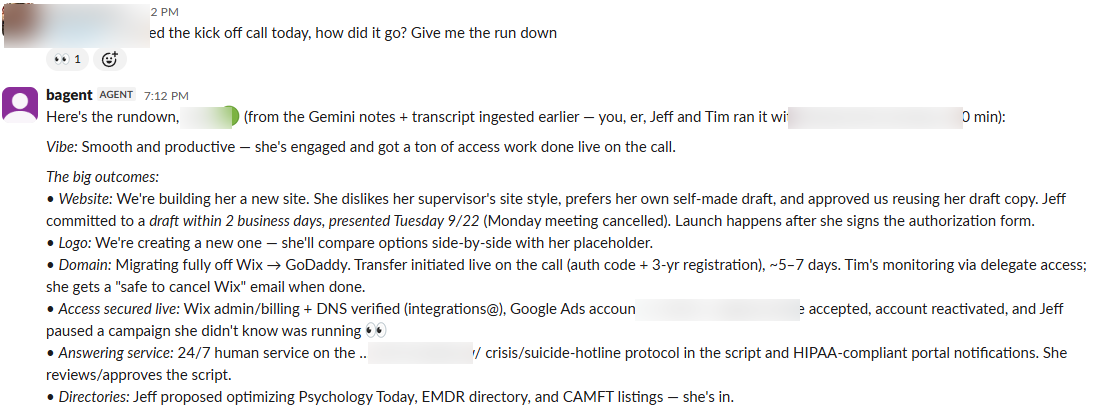
Call Notes Ingestion — AI meeting notes → client record of truth
Every client call generated an AI notes doc that lived and died in someone's Drive. Decisions, owed items, and deadlines from calls never made it into the client's standing record, so the next person touching the account worked from memory or re-read a 100KB transcript. Duplicate ingestion and missed follow-ups were routine.
AI meeting notes (docs)Client project recordsTeam chatView workflow →- Screenshot coming soonOn-trigger
Voice-Note & Call-Recording Transcription
Team members think out loud — voice notes in chat, recorded discovery calls, drive-time braindumps. That audio was write-only: nobody transcribed it, so instructions got half-remembered and recordings were never mined for detail. Discovery-call recordings in particular held client wording that never reached the people building the deliverables.
Team chat (voice notes)Speech-to-text APIClient project recordsView workflow → - Screenshot coming soonContinuous
External-GPT Bridge — partner/client GPTs talk to the agency’s agent
Partners and stakeholders live in ChatGPT, but the agency’s operational brain (project state, client context, tooling) lives inside the agency’s agent. Answering partner questions meant a human relaying context back and forth, and the partner's GPT was always working from stale, second-hand information.
ChatGPT (external GPTs)Secure bridge serverMarketing team AI agent sessionTeam chatView workflow → - Screenshot coming soonOn-trigger
On-Demand Reporting — analytics, ads, and CRM funnel answers in minutes
"How's this account actually doing?" used to mean logging into four dashboards, exporting CSVs, and an hour of spreadsheet work — so it happened less often than it should. Funnel questions ("did that lead tier ever produce a proposal?") required joins across CRM objects nobody had time to run. Numbers quoted from memory crept into client conversations.
Web analyticsAd platforms (search + local services)CRMSpreadsheetsView workflow → - Screenshot coming soonOn-trigger
Sales Collateral Drafting — branded one-pagers, tiered case studies, generated imagery
Sales collateral was a bottleneck: a branded one-pager meant a designer's queue, and case studies stalled on the question "what are we allowed to disclose?" — so they mostly didn't get made. Different prospects need different disclosure levels, and hand-maintaining multiple versions of the same story was untenable.
Brand asset libraryPDF/web build toolingCase-study catalogImage generationView workflow → - Screenshot coming soonOn-trigger
Website-Edit Task Execution — project-management ticket → live verified change
Small website edits ("update the fee list," "add holiday hours," "fix that heading") queued behind developer availability for days. Each one carried the same overhead: find the right hosting install, dig the actual brief out of linked docs, make the change without breaking a page-builder layout, and prove it's live — so tickets aged and clients chased.
Project management toolWebsite hosting (managed WordPress)Shared docs (edit briefs)Team chatView workflow → - Screenshot coming soonOn-trigger
Design-Feedback Fix Loop — pinned comment → fixed, deployed, verified, replied, resolved
Visual feedback ("fix the padding") arrived as pins on a review canvas, but turning a pin into a shipped fix meant a developer reverse-engineering what the reviewer saw, guessing at the intended geometry, and a slow reply loop. Feedback rounds with dozens of comments could stall a launch for days.
Visual feedback canvasCode repositoryWebsite hosting/deployStakeholder progress logView workflow → - Screenshot coming soonOn-trigger
AI Website Builds & WordPress→AI-Platform Migrations
Client site builds and rebuilds were the marketing team’s longest lead-time deliverable — weeks of design/dev cycles — and migrating a WordPress site to modern hosting risked breaking the thing that pays for everything: tracking and lead attribution. Builder tools self-report "done" whether or not the work is actually right.
AI site-builder platformWeb analytics / ad platform / call trackingDNS / hostingSite database (leads)View workflow → - Screenshot coming soonOn-trigger
Kickoff Doc Creation — discovery-prefilled KO docs in the client folder
Every new client needs a kickoff document — services recap, goals, a long access checklist, discovery notes. Building one meant an account manager copying a template, hunting facts across the CRM, and retyping discovery details; docs arrived late, half-filled, or inconsistent between account managers.
CRMShared drive (docs)Team chatView workflow → - Screenshot coming soonOn-trigger
Tracking & QA Audits — conversion tags, attribution, spam defense, ad delivery, site quality
The most expensive failures in local marketing are silent: a conversion tag that stopped firing, attribution parameters dropped by a site migration, a spam-flooded form, a campaign that quietly stopped serving. Diagnosing any one of these took a specialist hours with browser devtools — so they were usually found weeks late, after budget was wasted.
Client websitesAd platformCRMHeadless browser toolingView workflow → 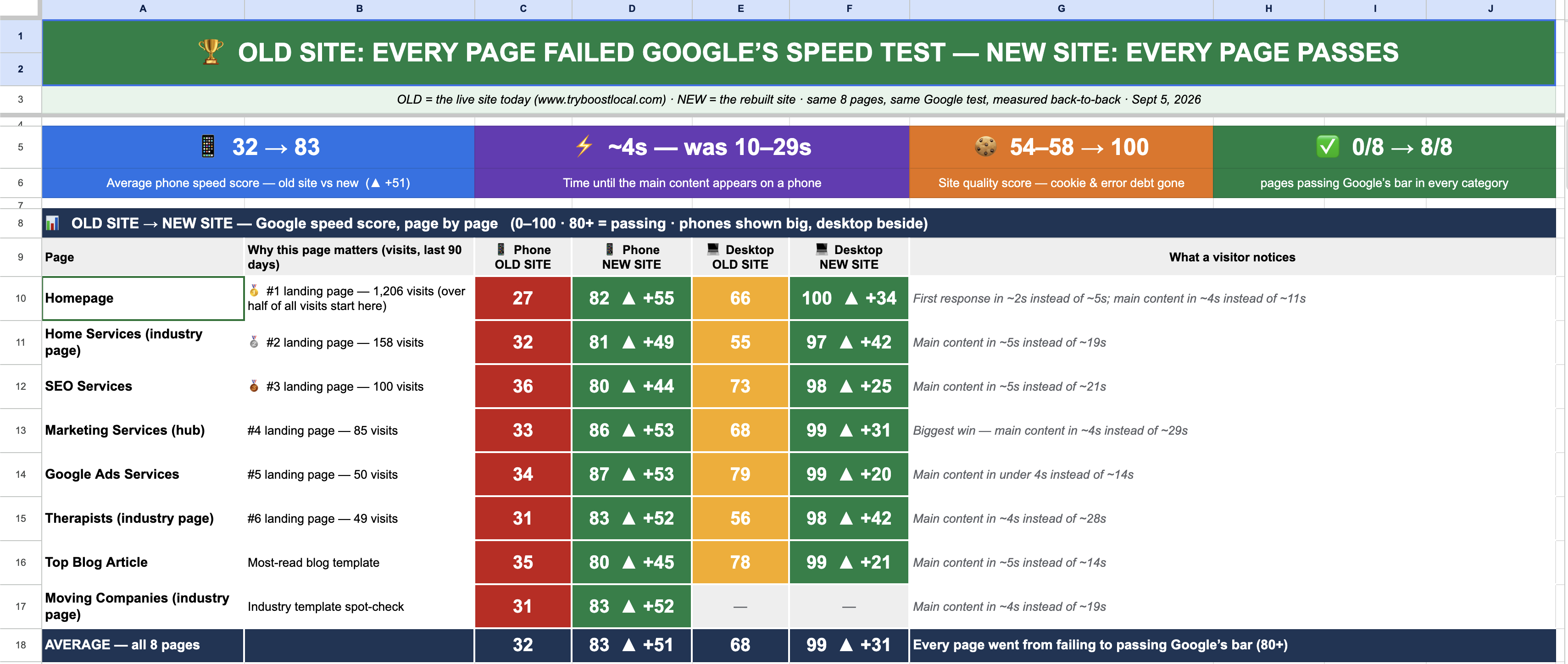 On-trigger
Sales-Asset Rebuilds — stakeholder scorecards and pixel-faithful page gallery
The marketing team’s own site rebuild program needed exec-readable scorecards (before/after audits, priority rankings, progress logs) and a rebuilt page gallery — dozens of legacy page-builder pages recreated pixel-faithfully on a modern stack. Doing either by hand was days of spreadsheet formatting and front-end work per asset.
Spreadsheets (stakeholder sheet)Legacy site extract (cache)Code repo + AI site platformWeb analyticsView workflow →- Screenshot coming soonOn-trigger
Portfolio Capture — client results and evidence preserved before they vanish
When a client engagement ended, the evidence of the work often ended with it: hosting teardown destroyed the "before" site, praise scrolled away in chat, and results data scattered across five platforms. Great outcomes became unprovable stories within months.
Client sites + web archivePayments + CRM cachesAd platform / analytics APIsCase-study catalogView workflow → - Screenshot coming soonContinuous
Proactive Monitoring — the agent checks the shop when nobody's asking
Between requests, nobody was watching: an urgent email sat unread, a pending ad-platform appeal went unchecked, follow-ups lived in someone's head. Everything reactive meant small things aged into big things over weekends.
Email + calendarTeam chatStanding task fileAd platform / other APIsView workflow → 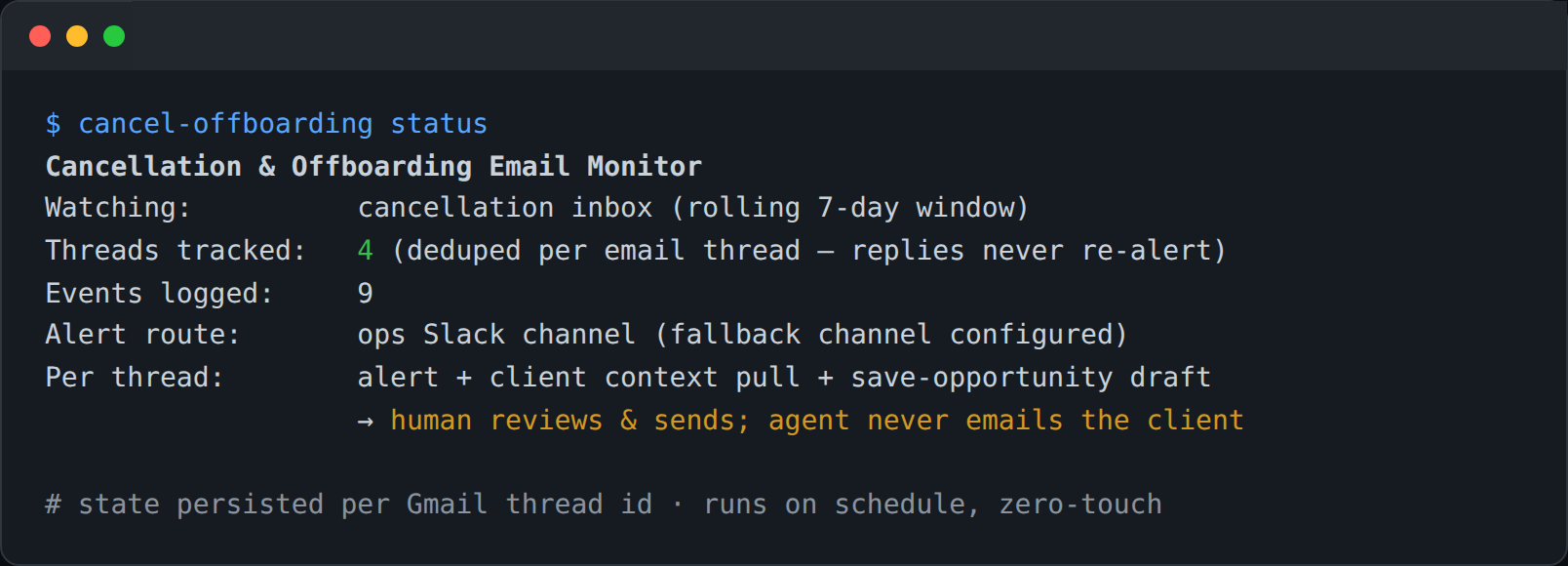 Scheduled
Cancellation/Offboarding Monitor + Save-Opportunity Drafts
Cancellation emails are the highest-stakes messages the marketing team receives, and they arrived into a shared inbox where response speed depended on who happened to look. By the time a save attempt was drafted, the client had mentally left. There was no systematic record of why clients leave.
Cancellation inbox (email)Client memory + payments + CRMTeam chatLocal state/event logView workflow →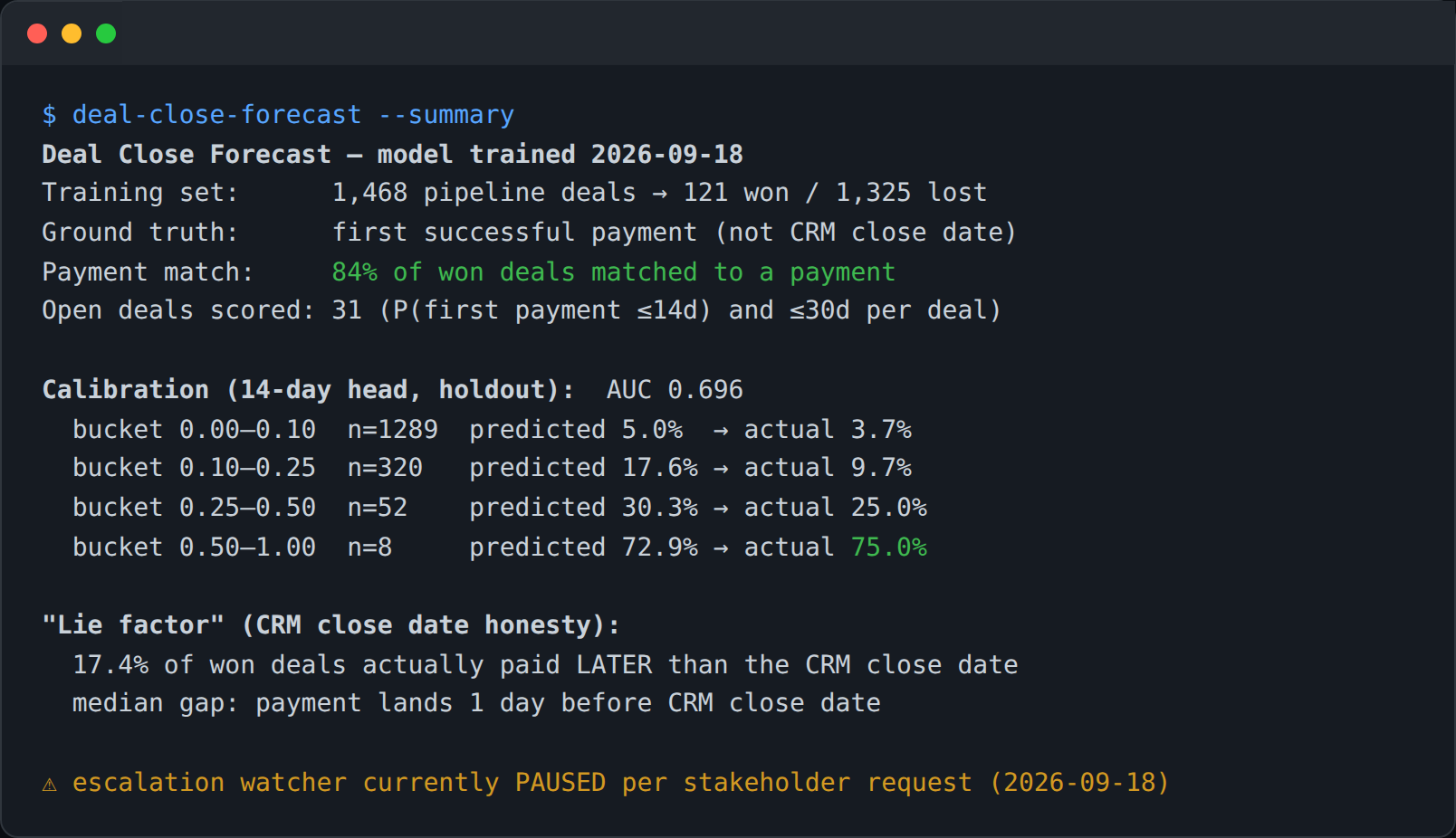 Scheduled
Deal-Close Forecast — payment-verified ML forecast of which deals actually close
CRM close dates are aspirational: deals marked "closing this week" for a month, and won dates edited after the fact. Leadership couldn't trust the pipeline view for cash planning, and the handoff from sales to onboarding depended on someone noticing a deal was about to land.
CRM (deals, stage history)Payments platformML model (local)Team chatView workflow →- Screenshot coming soonContinuous
Client Memory System — per-client living context, auto-loaded by channel
Client context lived in people's heads and scattered threads. Every question started with archaeology: what did we promise, what's their setup, what happened on the last call? New team members (and the AI itself, which wakes fresh each session) had no fast path to "everything we know about this client."
Team chat (client channels)Client memory filesEmail (client group addresses)View workflow → - Screenshot coming soonOn-trigger
AI-to-AI Client Handoffs — the client's own GPT takes over, inside locked invariants
A technically-capable client owned her own AI-built website and wanted to iterate it with her own AI assistant — but the site carried the marketing team’s conversion-tracking layer, where one wrong change (a duplicate tag, a removed script) silently ruins ad performance. The marketing team couldn't be in the loop on every site tweak, and couldn't afford to be out of it either.
Client's GPT assistantAI site-builder platformAd platformView workflow → 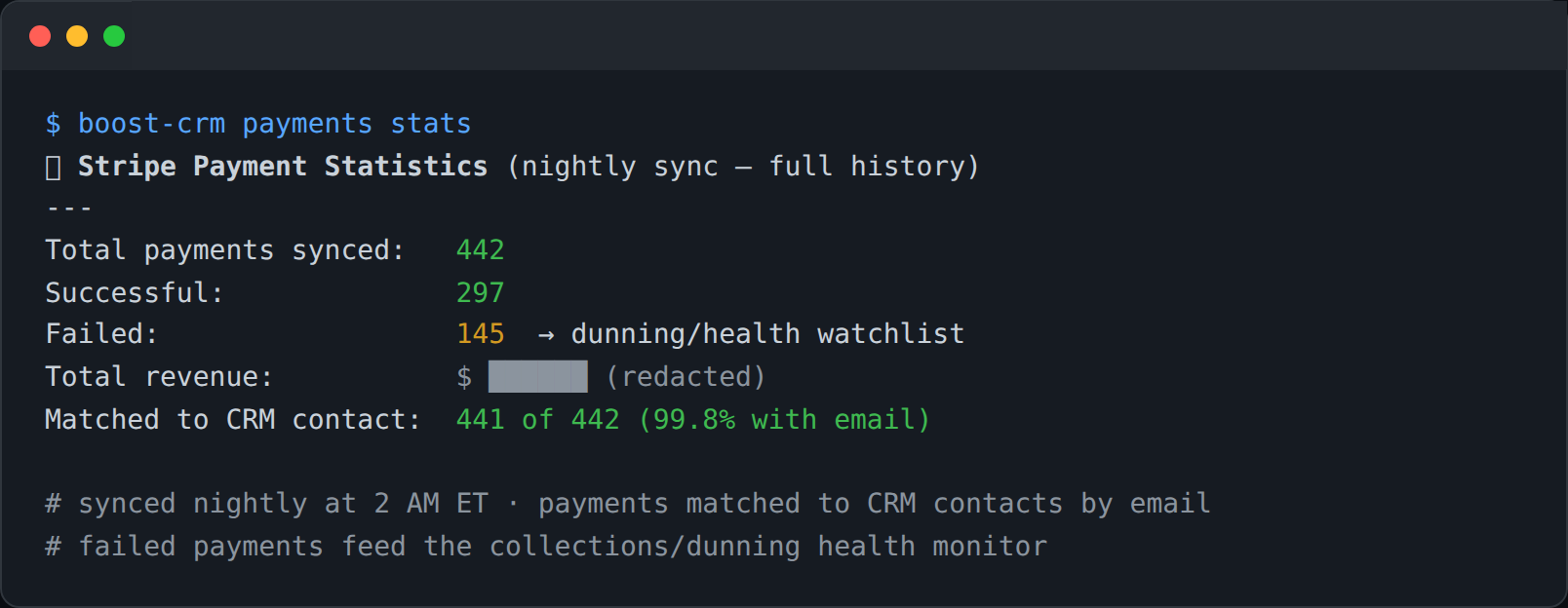 Scheduled
Payment Operations — nightly sync, dunning health, ad-spend ROI linking
Payment reality lived only inside the payments dashboard: failed charges were discovered when a client mentioned them, revenue questions meant manual exports, and there was no connection between "this ad click" and "this client's payments" for ROI analysis. Collections outreach was ad hoc.
Payments platformCRMLocal payments databaseAd platform (click IDs)View workflow →- Screenshot coming soonOn-trigger
Call Intelligence → Website Build — discovery calls become the website brief
Everything needed to build a new client's website was said out loud on discovery and kickoff calls — and then lost between the salesperson's memory and the builder's intake form. Sites launched with generic copy while the client's own words ("we answer 24/7," "we're the only ones who...") sat unused in recordings. The pre-kickoff gap was dead time.
CRM (discovery records, recordings)Speech-to-textShared drive (KO doc, briefs)AI site-builder platformView workflow → - Screenshot coming soonOn-trigger
Case Study Factory — from "trophy this" to a publishable three-tier case study
Even with results captured (Entry #12) and design capability (Entry #5), case studies died in the gap between them: assembling verified numbers, deciding what's safe to disclose, building the page, and QA-ing the claims was a cross-functional project nobody owned. The agency sat on provable wins it never published.
Case-study catalog + evidence archiveAI site-builder platformVisual feedback canvasTeam chatView workflow → 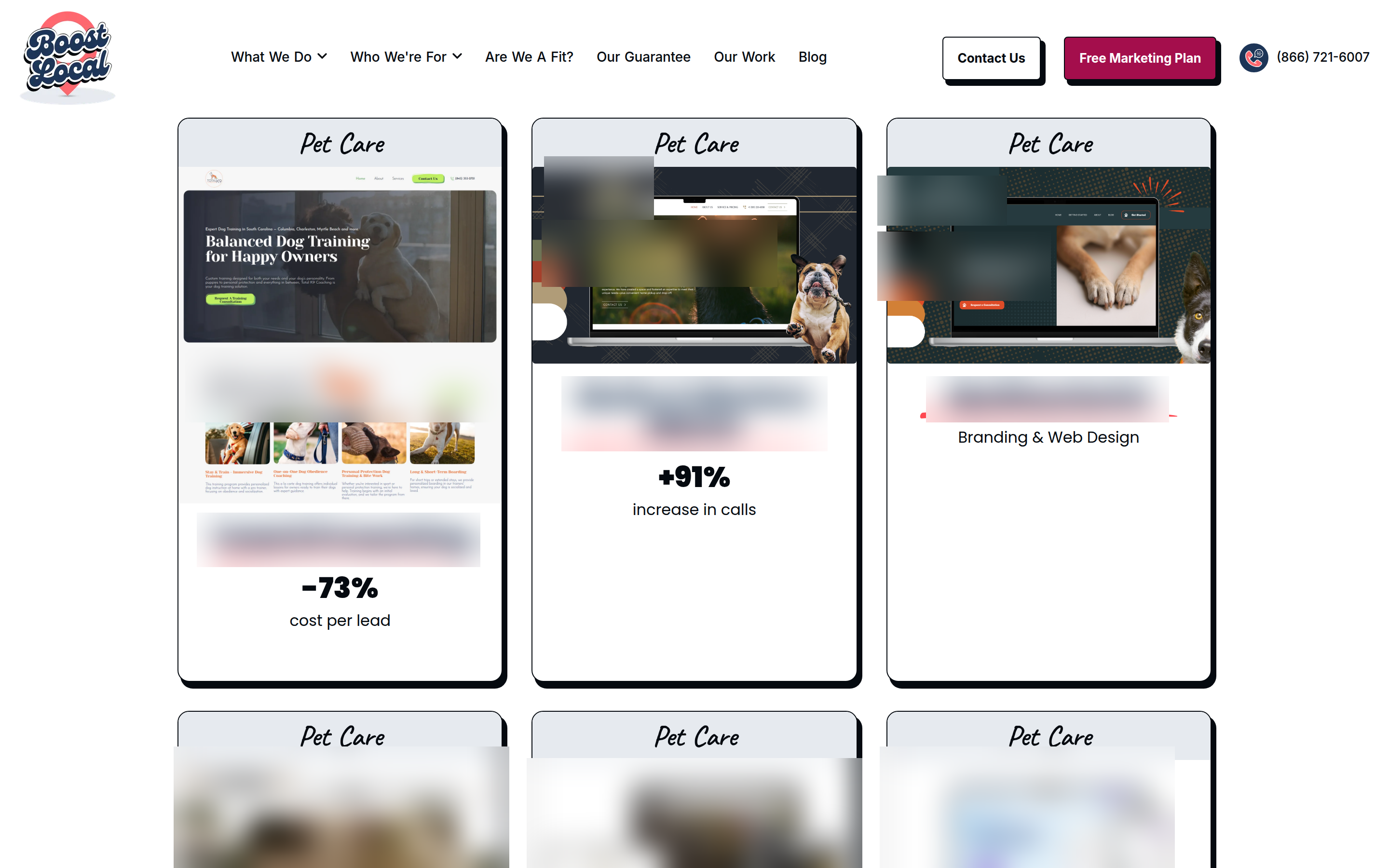 Continuous · Reporting: Scheduled
First-Party Attribution & Intent Personalization Engine
Ad clicks were going dark between the click and the CRM. UTMs and gclids got stripped by redirects and single-page navigation, the CRM only saw whoever filled a form — with no memory of the visits before it — and there was no way to feed real outcomes back to Google's bidding. Every visitor also saw the same generic portfolio no matter what they came looking for.
Website + Cloud DatabaseCRMTag Manager / AnalyticsGoogle AdsView workflow →