Website Migration White-Label Checklist: AI Agent Verifies All 547 Pages Have Zero Platform Branding Before Launch
Before a rebuilt site goes live on the client's domain, every trace of the build platform has to be gone. Spot-checking ten pages proves nothing. The agent checked all 547.
What was getting in the way.
A site rebuilt on a modern hosting platform ships with that platform's fingerprints by default: a builder badge, platform favicons, og:image URLs pointing at the platform's CDN, preview hostnames buried in metadata. For a client-facing launch those have to be gone from every page, not most pages. Humans spot-check a handful of templates and hope the rest follow, but one stray CDN hostname in a share image or one default favicon on a deep page undoes the white-label promise. On a 547-page site, checking by hand is a day of mind-numbing work nobody actually does.
Context
A client whose rebuilt site had to carry only their own brand at launch. The pattern applies to any agency shipping white-labeled work on a third-party platform: the promise is only as good as the coverage of the check.
How the work runs.
- 01
Ship the branding pass first.
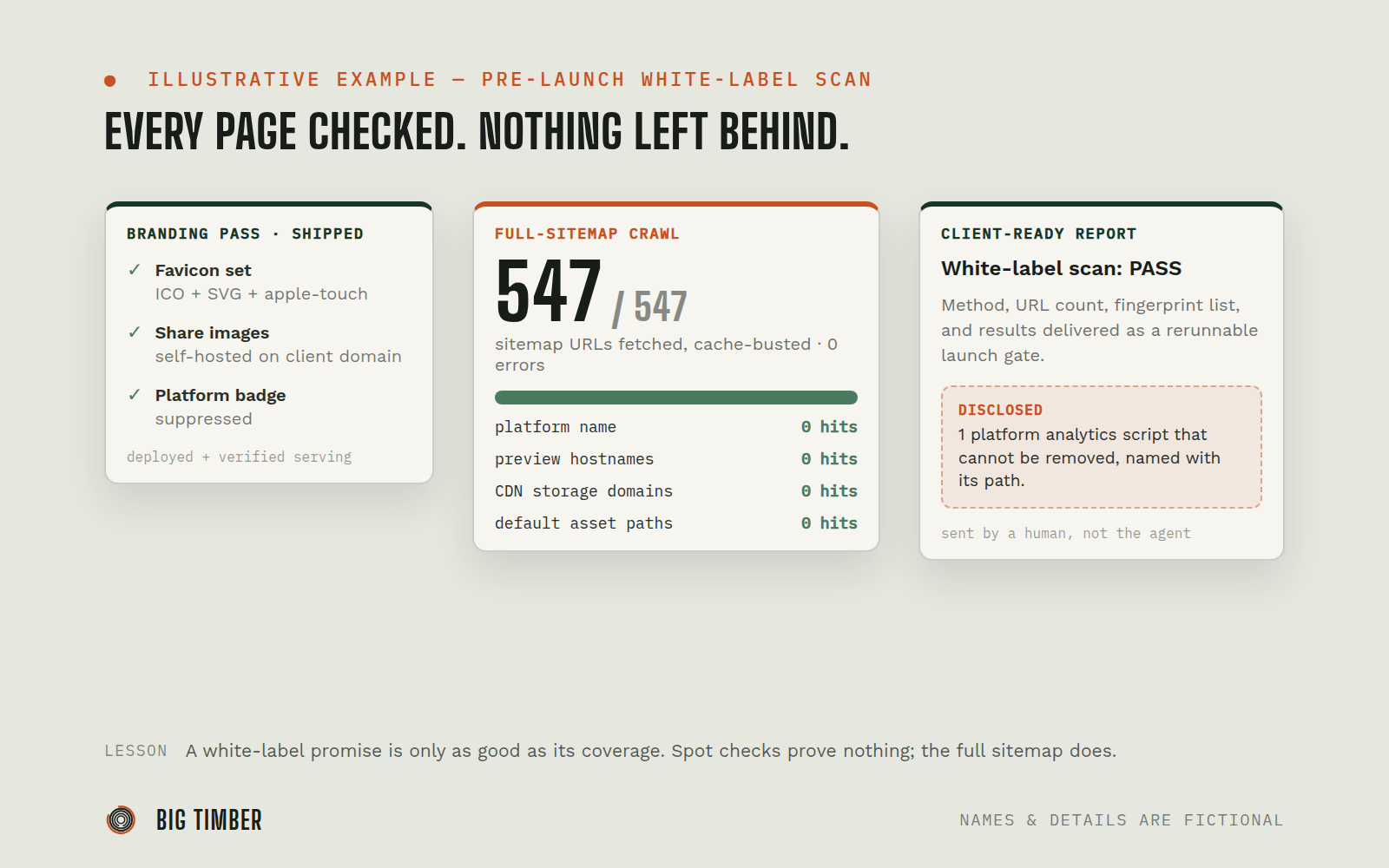
Client favicon generated in every required size (multi-size ICO, SVG, apple-touch-icon), social share images moved off the platform CDN to self-hosted URLs on the client's own domain, and the platform badge suppressed, committed and deployed.
- 02
Crawl the complete sitemap, not a sample.
All 547 sitemap URLs fetched cache-busted so stale CDN copies cannot mask a miss. Zero fetch errors tolerated; an unreachable page is a failed check, not a skipped one.
- 03
Grep every response for the fingerprint list.
Platform name, preview hostnames, CDN storage domains, default asset paths. Result: zero hits across all 547 pages.
- 04
Disclose what cannot change.
The hosting platform injects one analytics script that site owners cannot remove. The report says so plainly, with the script path, instead of leaving it for the client to discover.
- 05
Deliver the proof as a client-ready report.
A scan report with method, URL count, fingerprint list, and results, spelling-checked and confidentiality-checked before handoff.
Evidence from the workflow.
Each system has a role.
the hosting and build platform being white-labeled (badge, favicons, share images, deploys)
Lovable
verification surface (all 547 URLs, cache-busted)
Sitemap + HTTP crawl
record of the branding commit that the scan verifies
Git
action (the client-ready scan report)
Document pipeline
Why this is Coworker.
Takes assignments and reports back. You hand it work, it prepares and returns a result.
- 01
The crawl is read-only against the published site. The branding commit went through the normal deploy pipeline with the change list recorded. The report went to a human for the send decision; the agent never sends client-facing documents itself.
Impact / Outcomes
547 of 547 sitemap URLs crawled with zero errors and zero platform-fingerprint hits. The white-label claim shipped with evidence attached, not as an assurance.
Favicons, share images, and badge handled in one deployed branding pass, verified serving before the scan ran.
The single non-removable platform script was disclosed in the report with its path, converting a potential "what is this?" discovery into a documented known.
The scan is rerunnable after any future deploy, turning a one-time cleanup into a repeatable launch gate.
Find where a workflow like this fits.
Start with the systems, work, constraints, and authority already present in your operation.