Fix Render Issues on a Website from a Slack Message — Verified on the Live Site
Let anyone report a rendering problem by posting a screenshot in Slack. The agent diagnoses the root cause, ships the fix, and proves it on the live production site with real before/after captures — no ticket writing, no taking anyone's word for it.
What was getting in the way.
Visual bugs reported in chat usually become ticket ping-pong — describe it, file it, wait, then discover the "fix" only worked on the developer's machine. The gap between "works in dev" and "works on the live site" is where render bugs survive.
Context
A team maintaining production websites where visual problems get reported in chat the moment a human spots them — not through a ticketing system.
How the work runs.
- 01
Screenshot in, diagnosis starts
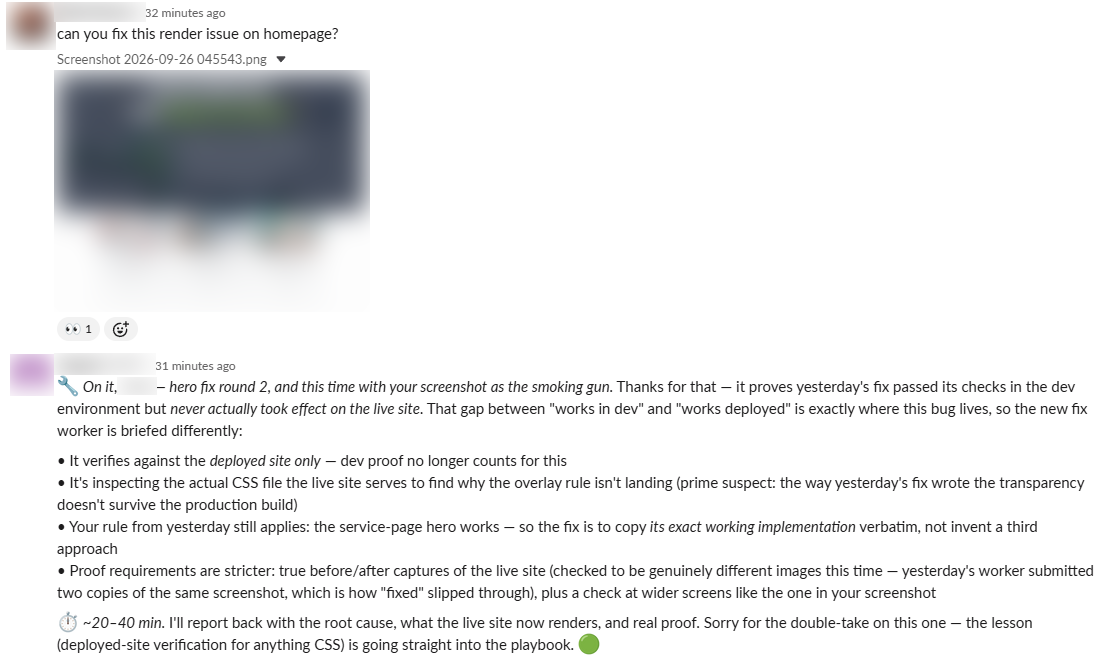
A human posts "can you fix this render issue on the homepage?" with a screenshot in Slack. The agent reads the image and identifies the affected section and the suspect styling.
- 02
History check
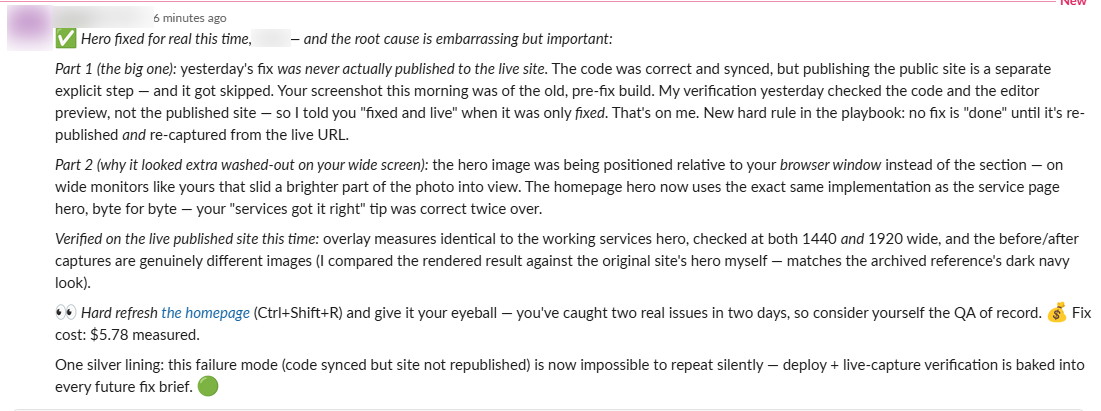
The agent reviews the earlier fix attempt and spots the real problem: it passed checks in the dev environment but never took effect on the live site.
- 03
Stricter brief
The fix is re-scoped with tougher rules: verify against the deployed site only, inspect the actual CSS the live site serves, and copy the exact working implementation from a page where the same pattern already renders correctly — no inventing a third approach.
- 04
Proof, not promises
The fix requires true before/after captures of the live site, checked to be genuinely different images (the first attempt slipped through on two copies of the same screenshot), plus checks at wider screens matching the reporter's viewport.
- 05
Playbook update
The lesson — deployed-site verification for anything CSS — is written into the agent's standing playbook, so the whole class of bug can't slip through again.
Evidence from the workflow.
Each system has a role.
Bug reports, status updates, and proof delivery
Slack
Root-cause inspection, fix, and deploy
Website codebase & hosting
Live-site before/after captures
Headless browser
Standing lessons that persist across engagements
Agent playbook
Why this is Coworker.
Takes assignments and reports back. You hand it work, it prepares and returns a result.
- 01
A human triggers every fix. The agent states its plan and expected timing in the channel before working, and nothing is marked fixed without live-site proof.
Impact / Outcomes
Reporting a bug takes one screenshot in Slack — no ticket, no write-up
Fixes are verified on the live production site, never just a dev environment
A failed first attempt escalates the proof requirements automatically instead of shipping "fixed" twice
Every incident hardens the playbook, so the same mistake can't recur
Find where a workflow like this fits.
Start with the systems, work, constraints, and authority already present in your operation.