Website Not Loading for Some Visitors: How an AI Agent Found and Fixed a Cloudflare Cache Problem in One Region in About 30 Minutes
Right after a site update, the homepage failed for one person on the team and loaded fine for everyone else. Nobody on the team was a Cloudflare specialist. The agent tested the site from several cities, found one location holding a bad saved copy of a single file, cleared it, and fixed the tool so it cannot hide there again.
What was getting in the way.
"It works for me" is the most frustrating sentence in website troubleshooting. A site sits behind Cloudflare, which keeps saved copies of its files in data centers around the world so pages load fast. When one of those locations saves the wrong thing, only the visitors routed through it see a broken page. Everyone else sees a healthy site, every standard check passes, and the people affected are told to clear their browser. Finding the real cause normally takes someone who knows how Cloudflare decides what to save and where.
Context
A business that had just moved its website to a new platform behind Cloudflare, with a team on our side that does not include a Cloudflare specialist. The pattern applies to any site behind a content delivery network: a problem that only some visitors see is usually a regional saved copy, and it can be found by testing from where those visitors are.
How the work runs.
- 01
Take the report seriously.
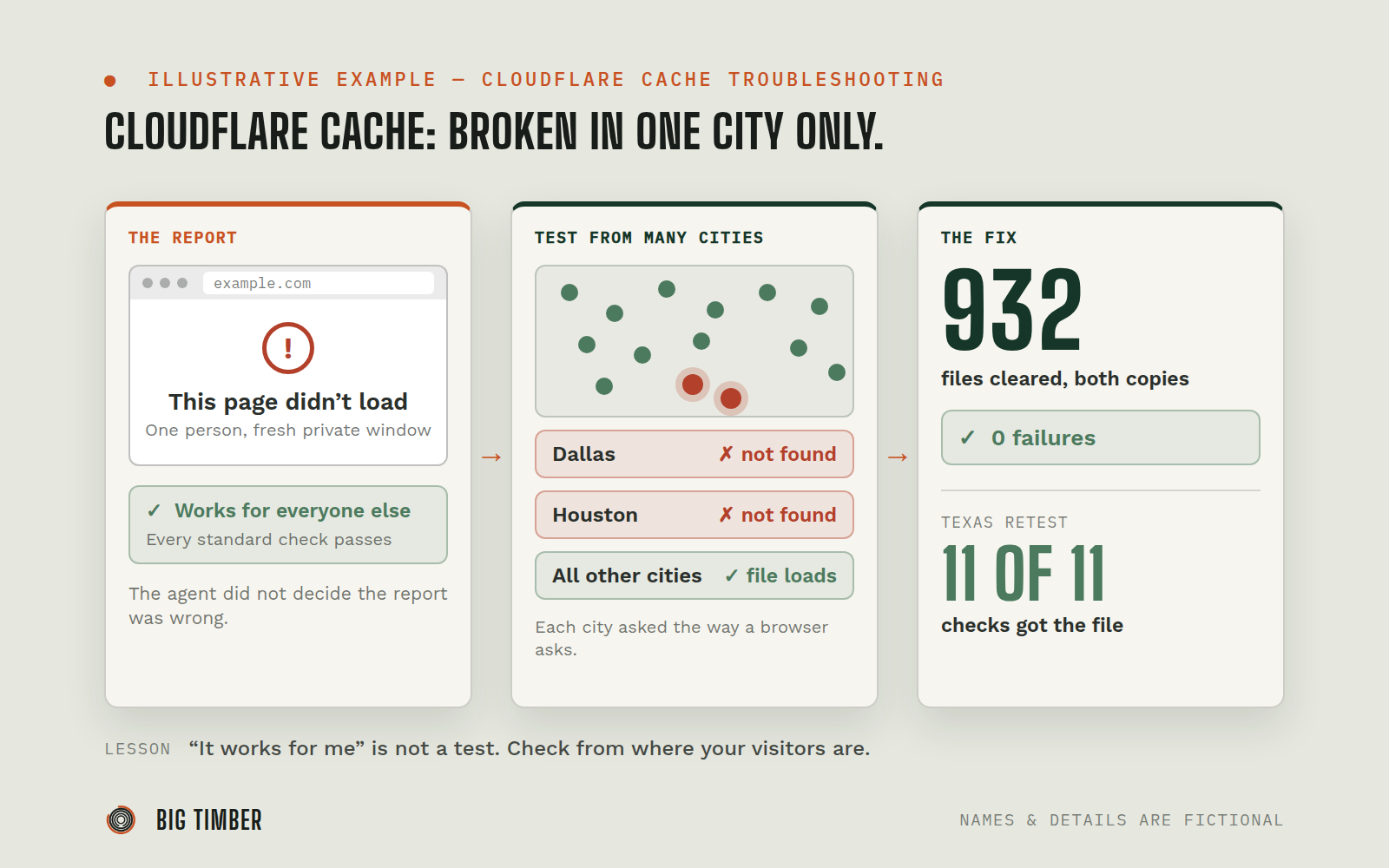
A team member saw "This page didn't load" in a fresh private window. The agent could not reproduce it from its own location: every file returned normally. It did not conclude the report was wrong.
- 02
Ask for the one detail that matters.
The browser's error log named a single script file that came back "not found," even though that file existed in the live version of the site.
- 03
Test from where visitors are.
The agent requested that file from many cities at once, the way a browser asks for it. Dallas and Houston got "not found." Every other location got the file.
- 04
Find the difference between a test and a real visitor.
Browsers add one extra line (the Origin header) when they load this kind of file. Simple test tools do not. Cloudflare was keeping a separate saved copy for requests with that line, and in one data center that copy was a saved "not found."
- 05
Explain why the first fix did nothing.
The team had already cleared all 932 script and style files from Cloudflare's cache. That only cleared the plain copies, so the bad one survived.
- 06
Fix the tool, then the site.
The agent changed the site's cache-clearing step to clear both copies of every file, cleared all 932 again with zero failures, and retested from Texas: 11 of 11 checks returned the file.
- 07
Write it into the manual.
The site's runbook now says to clear and test both copies after every update, from more than one region.
Evidence from the workflow.
Each system has a role.
the caching layer in front of the site, where the bad saved copy lived
Cloudflare
requests from real locations in many cities, with the browser's header included
Multi-region probe service
where the site is built and published, and where the cache-clearing step was updated
Lovable
where the problem was reported and each finding was posted
Slack
Why this is Operator.
Owns a workflow end to end, running the process inside the authority you set.
- 01
The agent worked with read-only access to the client's Cloudflare account and cleared cache only through the site's own narrow cache-clearing step, which can only touch that site's pages. The code change was reviewed and published on a team member's go-ahead. The agent was also clear about what it could not prove: why that one location saved a "not found" answer in the first place was never confirmed, and the write-up says so.
Impact / Outcomes
About 33 minutes from the first report to the team member confirming the site loaded.
The cause was proven, not guessed: the same file returned "not found" in one region and loaded everywhere else, and only when requested the way a browser does.
932 files cleared in both forms with zero failures, and 11 of 11 regional retests passed.
The cache-clearing step now handles both copies automatically, so the fix is permanent, not a one-time cleanup.
Find where a workflow like this fits.
Start with the systems, work, constraints, and authority already present in your operation.