Website Changes Not Showing Up? How an AI Agent Set Up Automatic Cloudflare Cache Clearing After Every Website Update
A fast website keeps saved copies of its pages. That is also why an edit can go live and still not appear, or why a page can break for a visitor right after an update. The agent set up the site to clear the right saved copies on every publish, and to repair itself for anyone caught in between.
What was getting in the way.
Cloudflare makes a site fast by saving copies of pages so they do not have to be rebuilt for every visitor. The trade-off shows up on publish day. Either the old copy keeps being served and the team wonders why the change is not live, or someone clears the entire cache and the whole site is slow until it refills. There is a quieter problem too: a visitor who opened the site before an update can click a link and get an error, because their saved page is asking for files the update replaced. Setting this up properly is usually specialist work.
Context
A content-heavy business website with several hundred pages, sitting behind the client's own Cloudflare account. Our team does not include a Cloudflare specialist, and the client's contact wanted the site fast without a manual cache chore after every edit. The same setup suits any site that publishes often.
How the work runs.
- 01
Clear only what changed.
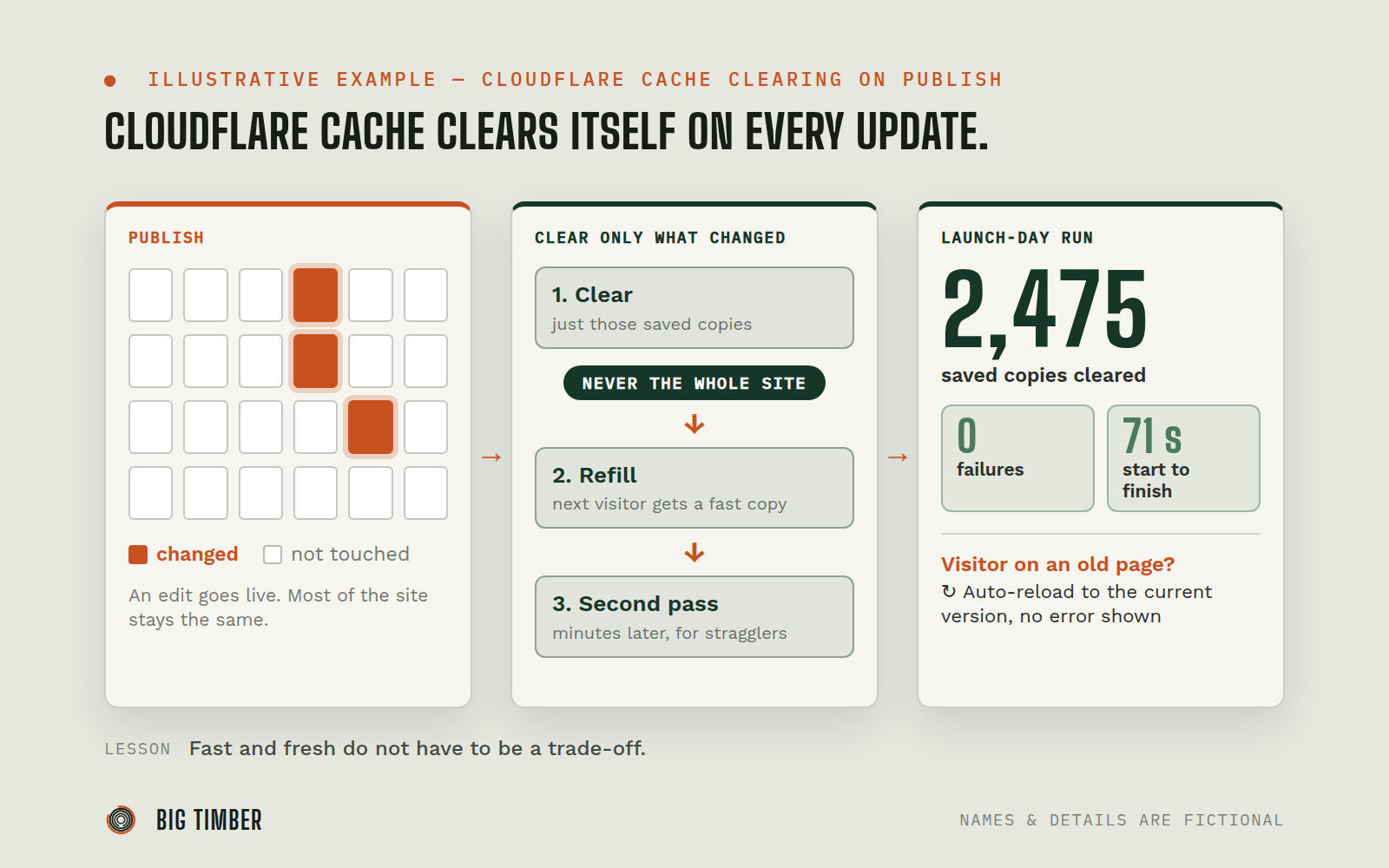
The agent built a small cache-clearing step into the site. On publish it works out which pages changed and asks Cloudflare to drop just those saved copies, plus the pages that list them, such as the blog index and the sitemap. It never clears the whole site.
- 02
Use the smallest key that works.
The client created a Cloudflare access key limited to cache clearing. It is stored in the site's protected settings, not in the code, and the step can only clear that site's own pages.
- 03
Refill the cache right away.
After clearing, an automated job revisits the changed pages so the next real visitor gets a fast saved copy. A second pass runs a few minutes later to catch stragglers.
- 04
Hit a limit and redesign.
The first version tried to clear and refill in one request and timed out at about 35 seconds on the hosting platform. The agent split the work so the quick part stays in the site and the slow part runs in a separate job.
- 05
Reproduce the "broken after update" complaint.
Using saved copies of the homepage from earlier versions of the site, the agent clicked through and reproduced the exact error a returning visitor would see: the old page asked for a file the update had removed.
- 06
Make the site heal itself.
The agent added a recovery step: if a visitor's page asks for a file that no longer exists, the site quietly reloads the current version instead of showing an error. It was tested against homepages saved from three older versions, and each ended on the correct page.
- 07
Document it for the next person.
A runbook explains how the clearing step works, its limits, and what to check after each publish.
Evidence from the workflow.
Each system has a role.
the caching layer and its clear-by-page API
Cloudflare
where the site is built and published, and where the access key is stored
Lovable
runs the refill job after each update
GitHub Actions
used to replay old saved pages and prove the recovery works
Automated browser tests
Why this is Operator.
Owns a workflow end to end, running the process inside the authority you set.
- 01
The cache-clearing key can do one thing, and it lives in the site's protected settings. The agent's own access to the client's Cloudflare account was view-only. Each change to the live site went out on a team member's approval. Known limits were written down honestly, including one: after a later change, clearing everything in a single request became too slow, so the runbook says to clear in batches of about 100.
Impact / Outcomes
A full publish now clears and confirms cleanly: 2,475 saved copies cleared in 6 batches with zero failures in 71 seconds on the final launch-day run.
Updates appear without anyone logging in to Cloudflare, and the whole-site cache is never wiped.
Returning visitors who hit a replaced file are moved to the current version automatically, verified with pages from three earlier versions.
The automation's access is limited to one job: clearing this site's cache.
Find where a workflow like this fits.
Start with the systems, work, constraints, and authority already present in your operation.