Cloudflare API Token Permissions: How an AI Agent Checked What an Access Key Could Really Do Before Using It
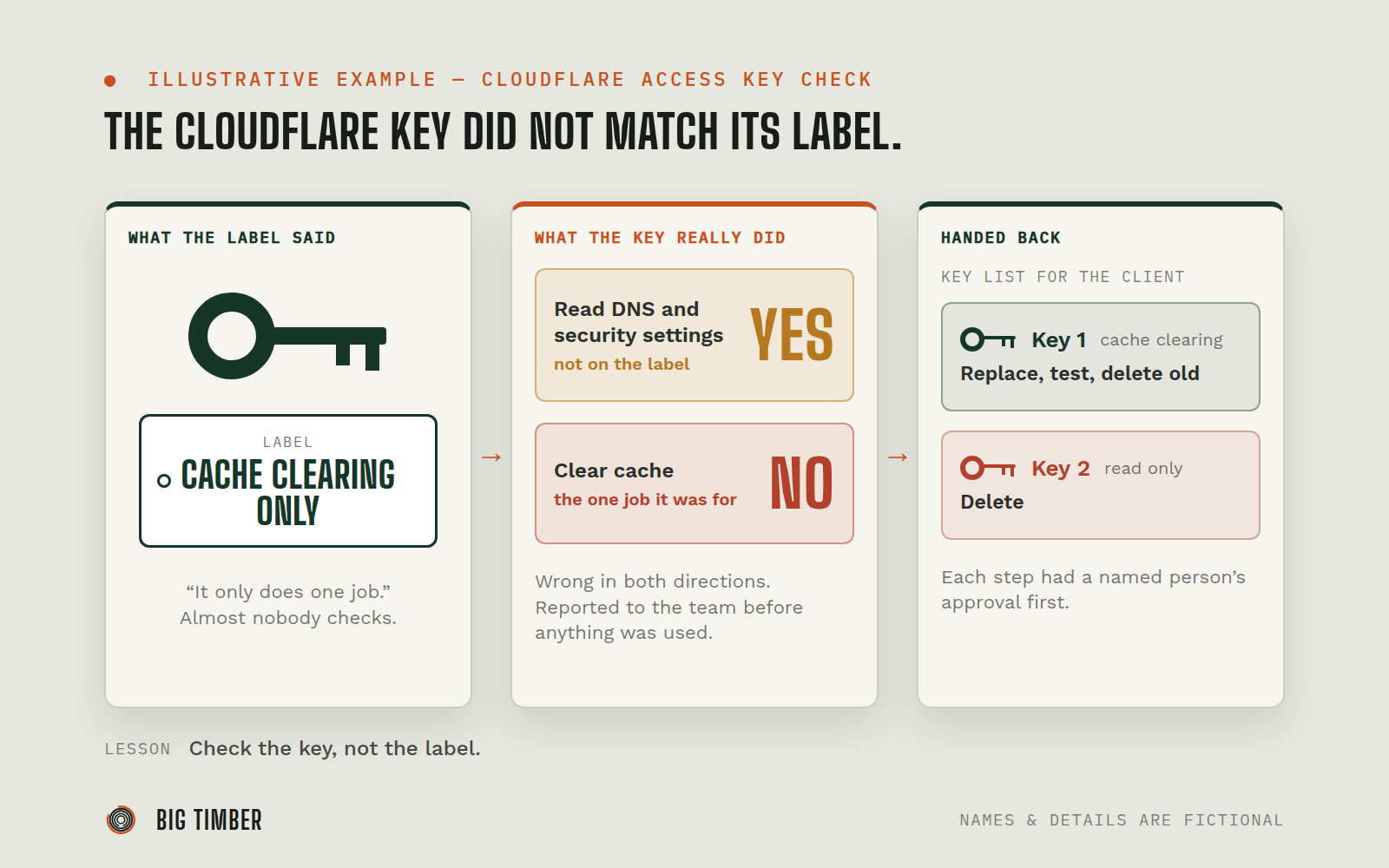
A client handed over a Cloudflare access key and described it as limited to one job. Before relying on it, the agent checked what the key actually allowed. The description was wrong in both directions: it could see more than expected, and it could not do the one job it was given for.
What was getting in the way.
Businesses hand out access keys to agencies, freelancers, and tools all the time, usually with a sentence like "it only does X." Almost nobody checks. A key that does more than described is a risk nobody agreed to. A key that does less than described fails at the worst moment, in the middle of a launch. And long after the project ends, the keys are still out there, because nobody kept a list.
Context
A business that gave an outside team limited access to its Cloudflare account for a website launch. Nobody on either side was a Cloudflare permissions specialist, and nobody needed to be. Any company that shares access keys with vendors has this same blind spot.
How the work runs.
- 01
Check the key, not the label.
The agent asked Cloudflare what the key was valid for and tested which requests it would accept, starting with harmless read requests.
- 02
Report the extra access.
The key was described as "cache clearing only." It could also read the domain's DNS records and security settings. The agent wrote that down and told the team lead before doing anything with it.
- 03
Agree on the limits.
The team lead approved using the key for read-only checks during the website launch. The agent held to that.
- 04
Find the missing access.
Later, with explicit approval to clear the site's cache, the agent tried. Cloudflare refused: this key could not clear cache at all. The key that could was a different one, stored in the website's protected settings.
- 05
Route around it safely.
Instead of asking for a more powerful key, the agent cleared the cache through the site's own narrow cache-clearing step, which can only touch that site's pages.
- 06
Hand back a key list.
The handoff document listed each key the project had used, what it was for, and what to do with it: replace the cache-clearing key with a fresh one limited to that single job, test it, then delete the old one, and delete the read-only key outright because nothing on the site depends on it.
Evidence from the workflow.
Each system has a role.
where the access keys (API tokens) were issued and checked
Cloudflare
the website platform, whose protected settings hold the working cache-clearing key
Lovable
the written list of keys, purposes, and next steps for the client
The handoff runbook
where the findings and approvals were recorded
Slack
Why this is Operator.
Owns a workflow end to end, running the process inside the authority you set.
- 01
Extra access was treated as something to report, not something to use. Each step up in what the agent did with a key (reading, then clearing cache) had a named person's approval first. The agent did not ask for broader access when the narrow route worked, and it put its own access on the list of things for the client to remove at the end.
Impact / Outcomes
The gap between what the key was said to do and what it did was found before the launch depended on it.
The agent used the wider access for approved read-only checks only, with the approval on record.
When the key turned out unable to clear cache, the launch was not blocked, because the limit was already understood.
The client received a short, specific list: one key to replace and test, one key to delete.
Find where a workflow like this fits.
Start with the systems, work, constraints, and authority already present in your operation.